Publish & share
Publish & go live
How to make your profilo public — the difference between Save, Preview and Publish, explained simply.
While you're building in the editor, your page is just a draft — private and visible to no one but you. Only Veröffentlichen (Publish) makes your current state public at profilo.so/<username>. Here's exactly what the three buttons do, and why your changes sometimes seem to "not show up".
Save, Preview, Publish — the difference
In the editor (Profil bearbeiten) the toolbar at the top has three actions that are easy to mix up:
- Speichern (Save) stores your draft. Your work is safe — but your public page does not change because of it. As long as you have unsaved edits, the bar shows "Ungespeicherte Änderungen".
- Vorschau (Preview) opens your page in a new tab exactly as visitors would see it — for your eyes only, with your current draft. Handy for a final check before going live.
- Veröffentlichen (Publish, the gold button) makes your current state public. This is the only step that actually changes your public page.
Remember: Save = store privately. Publish = show publicly. You need both for your changes to go live.
How to go live
- Finish building your profile — add modules, pick your design and fill in your content.
- Click Vorschau to check your page once from a visitor's point of view.
- Click Veröffentlichen.
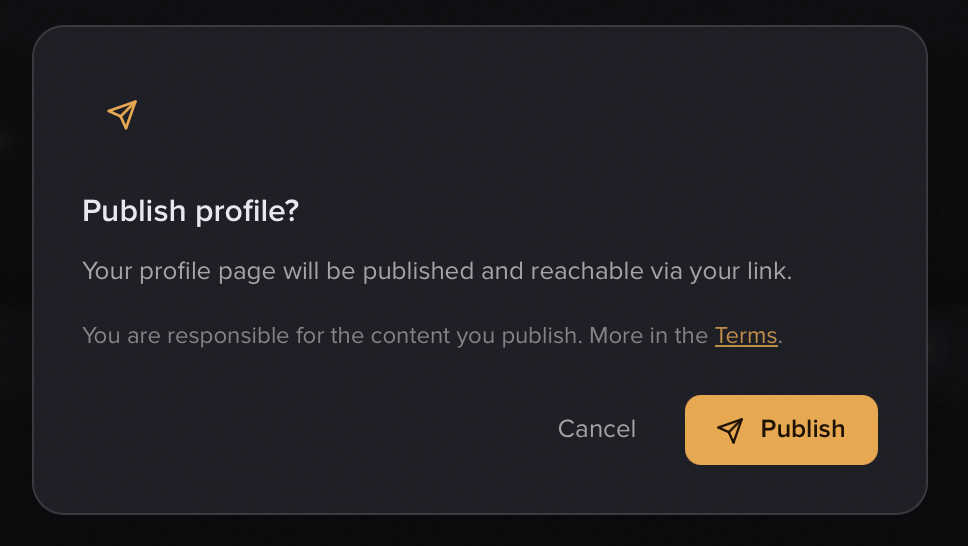
- In the Profil veröffentlichen? dialog you'll read a short note that you're responsible for your own content (with a link to the Terms). If a tab has no content, the dialog warns you — an empty tab would otherwise show up empty on your page too.
- Confirm with Veröffentlichen. Your current state is frozen and is instantly reachable at your link.
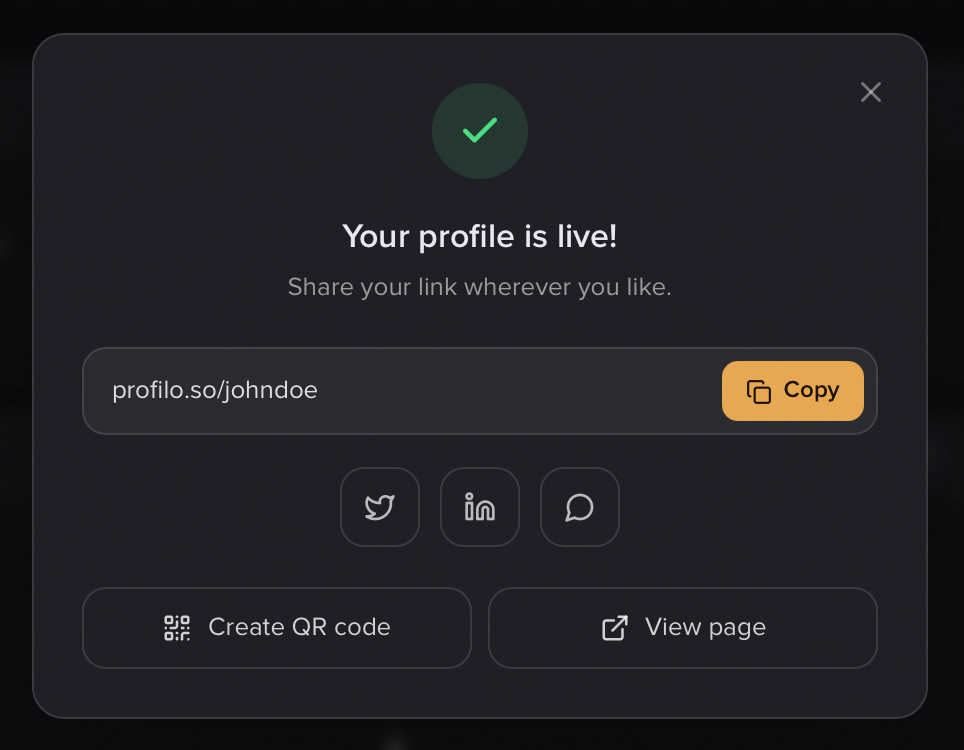
A Dein Profil ist live! ("Your profile is live!") sheet then appears. From here you can directly:
- copy the link,
- share to X, LinkedIn or WhatsApp,
- create a QR code,
- or open your finished profile with Seite ansehen (View page).
For more ways to spread your link, see Share & QR code.
Why don't visitors see my changes?
profilo works with a snapshot: your public page always shows only the most recently published state. Anything you edit and save afterwards in the editor stays invisible to visitors until you publish again.
You can tell there are pending changes because the button reads Veröffentlichen again. When everything is live and in sync, it says Veröffentlicht (greyed out).
Note: Updating simply means publishing again. Working on your draft in peace, without anyone watching along, is by design — nothing goes out unplanned.
Hide your page or take it offline
These options are not in the editor — they live under Sichtbarkeit verwalten (Manage visibility) in the dashboard. There you can set your profile to Offline or protect it with a password (Premium). Your published state stays intact in the meantime — switch back to public and everything reappears instantly. Details in Visibility & password protection.
What visitors see on your page
Your published page has a fixed structure:
- a navigation bar at the top (with the profilo wordmark or your own logo on Premium, a tab switcher when you have multiple tabs, and a Kontakt button if you have a contact module),
- your bento grid of modules,
- an optional footer (e.g. legal notice, privacy),
- and at the very bottom the subtle Made with profilo link.
Note: Your public page renders in your language (DE or EN) — no matter who opens it. That's a separate setting from your editor language.
Related articles
Visibility & password protection
Decide who sees your profile – public, offline or password-only (Premium). Here's how to set up password protection.
Share: link, QR card & Wallet
Share your profile link, design and download a QR business card, add it to Apple Wallet — plus the free, no-login business card tool.
Build your profile: add, arrange & fill modules
How to add modules, fill them with content and arrange your profile page with drag & drop — the complete editor workflow.