Account & plan
Premium, billing & cancellation
What Free and Premium include, what Premium costs, how to upgrade or cancel – and what happens to your content when you downgrade.
profilo has exactly two plans: Free (permanently free) and Premium. Here's what each plan includes, what Premium costs, and what happens to your content when you cancel.
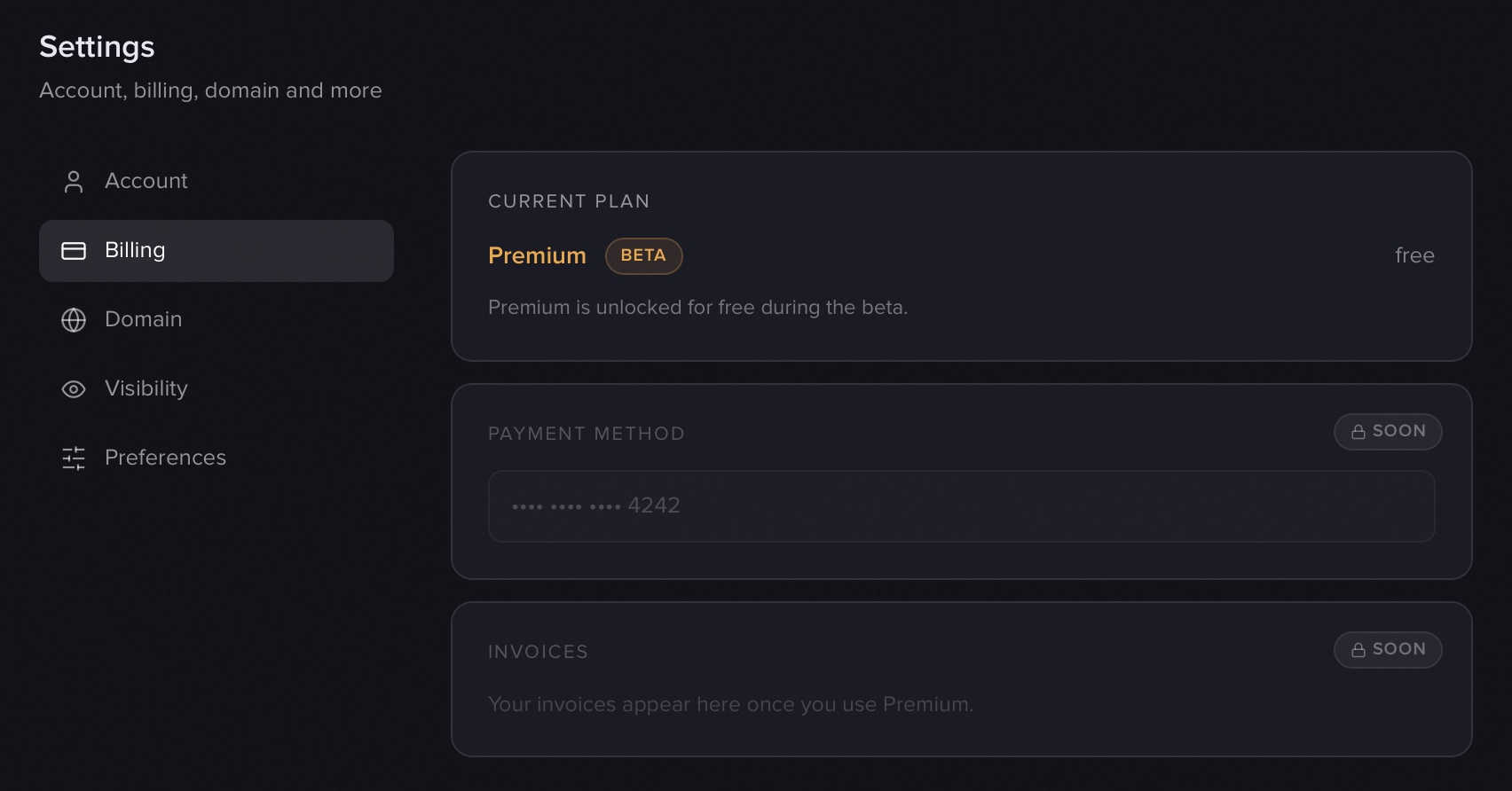
Good to know: We're currently in the test phase – Premium is unlocked for free for everyone. You don't need to enter a payment method or do anything. Under Settings → Billing, your plan shows the status Test phase.
Free vs. Premium
With Free you build a full-featured profile page – free and with no time limit. Free includes:
- Your public address
profilo.so/yourname - The base modules
- 1 tab
- The standard design (the "Flat" style plus a toggle between Light and Dark)
- The profilo branding in your page's navigation
Premium additionally unlocks:
- All Premium modules (e.g. gallery, image, embed, Now status, FAQ, milestones …)
- Up to 10 tabs
- Full design customization: accent color (including a custom HEX color), style, corner radius and background
- Analytics – aggregated visitor statistics
- Password protection for your page
- Your own logo instead of the profilo wordmark
- An Apple Wallet card to add your profile to your wallet
- Early access to new features
Note: Google Wallet and a custom domain are also planned for Premium and are coming soon. The Apple Wallet card is already available.
What does Premium cost?
Premium regularly costs €8/month or €79/year – so with the yearly plan you get 2 months free. Every subscription starts with a 7-day free trial.
During the current test phase, Premium is free for everyone – you don't need to enter anything or do anything. You can see your current plan and the status Test phase under Settings → Billing.
Upgrading
Once the paid plans launch, here's how to upgrade:
- Open Settings → Billing.
- In the Upgrade to Premium section, choose between €8/month and €79/year · 2 months free.
- You'll be redirected to Stripe and complete the payment securely there.
Tip: Premium unlocks once Stripe confirms the payment – this may take a brief moment after the redirect. During the test phase this step is skipped, because Premium is already active.
Cancelling & managing your plan
You can manage your subscription anytime yourself:
- Open Settings → Billing.
- Under Manage subscription, click Go to Stripe portal.
- In the Stripe portal you can switch plans, change your payment method or cancel.
After cancelling, Premium stays active until the end of the period you've already paid for. Only then is your account set to Free.
What happens to my content when I downgrade?
Nothing is lost. When you switch to Free, Premium content isn't deleted, only hidden:
- Premium modules temporarily no longer appear on your public page.
- Tabs beyond the Free limit (anything above 1 tab) are hidden.
- Premium features like password protection, full design or analytics are paused.
As soon as you upgrade back to Premium, everything is automatically back – exactly as you had it set up. You don't have to rebuild anything.
Related articles
Design: mode, colors, style & corners
Set light/dark, accent color, style and corner radius for your profile page — with a live preview right in the editor.
Tabs: split your profile across pages
Organize your profilo profile into tabs like "About", "Portfolio" and "Contact" – add, rename, reorder and delete them in the editor.
All modules explained
Every module on your profilo page at a glance – what it shows, the fields it has and which ones are Premium.