Publish & share
Your branding: logo, footer & imprint
Make your profilo page yours: a custom logo instead of the profilo wordmark, plus a footer for imprint and privacy links.
Your profile page should look like you, not like us. With a custom logo you replace the profilo wordmark at the top of your page, and with the footer you add legal links like imprint and privacy policy. That keeps your page looking professional and cleanly covered.
Custom logo
With Premium you can replace the profilo wordmark in the top-left of your public page's nav bar with your own logo.
- Open the dashboard and click Einstellungen (Settings) in the left nav.
- Switch to the Einstellungen tab (the last one, your preferences).
- In the Eigenes Logo (Custom logo) card, click Logo hochladen (Upload logo).
- Pick your image file – done.
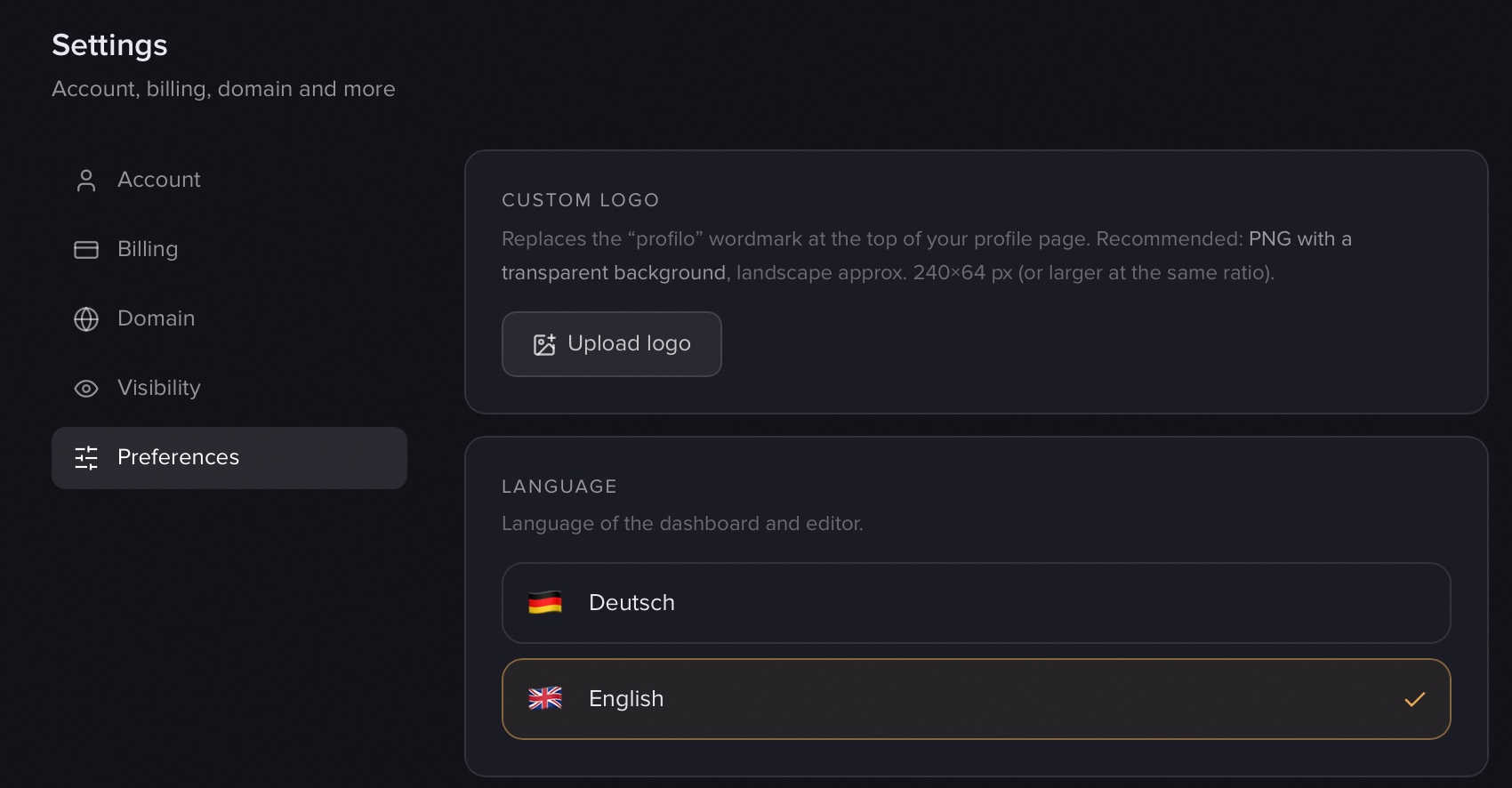
Your logo appears immediately on your public page – no need to publish again. Use Logo ändern (Change logo) to swap it, or the trash icon to remove it (the profilo wordmark comes back).
Tip: A transparent PNG in landscape format works best, around 240 × 64 px (PNG or WebP). That way the logo sits cleanly in the bar without a white box.
Note: The logo is a Premium feature. During the current test phase Premium is unlocked for everyone for free – so you can try out your logo right now.
Footer: imprint & privacy
The footer is a small row of links and notes below your grid – perfect for an imprint and privacy policy. It's available on all plans, including Free.
Important: The footer is not edited in Settings, but directly in the editor. This is exactly where many people look in the wrong place first.
Here's how to set it up:
- Open your page in the editor.
- Click Hinzufügen (Add) – the panel with all the building blocks.
- At the very bottom of the panel you'll find Footer ("small links/notes below the grid").
- In the footer dialog, click Eintrag hinzufügen (Add entry).
- For each entry, pick a type:
- Link – a label (e.g. "Imprint") plus a URL. On click it opens in a new tab.
- Text – a label plus the text that pops up on click. Handy for short legal notes right on the page.
- Reorder entries with the arrows, delete them with the trash icon – up to 6 entries are possible.
- Click Fertig (Done).
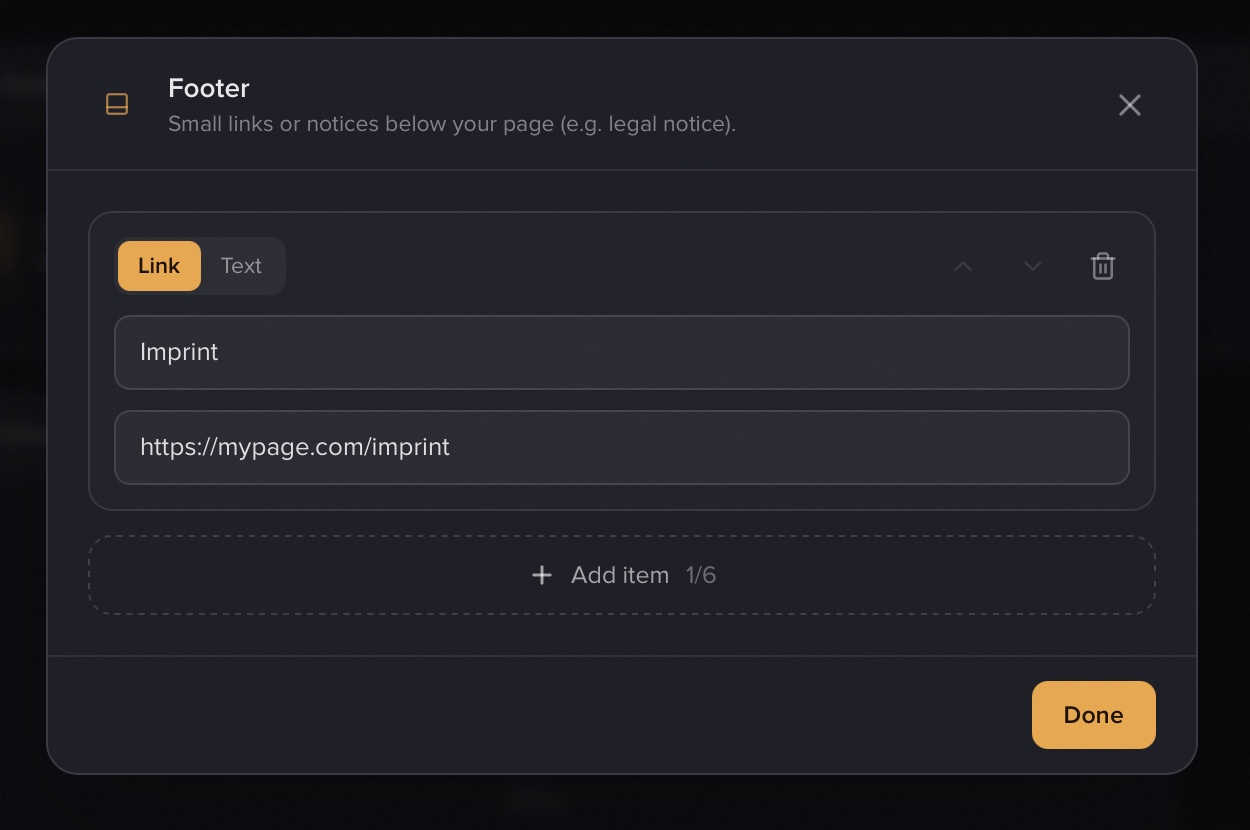
The footer appears centered below the grid on every page of your profile. Unlike the logo, it only becomes visible to visitors after you publish – see Publishing & going live for more.
Note: For a Link, a bare domain automatically gets
https://prepended. An obviously broken address blocks the Fertig (Done) button until you fix it.
Custom domain
A custom domain (e.g. yourname.com instead of profilo.so/yourname) is planned for the near future. You'll then be able to connect your own address to your profilo page. Once it's ready, you'll find the setup in the dashboard under Einstellungen → Domain (Settings → Domain).
More on the look of your page
- Set colors, mode, style and corners under Design & themes.
- How to take your page live is covered under Publishing & going live.
- Manage your username, plan and account under Account & settings.
Related articles
Design: mode, colors, style & corners
Set light/dark, accent color, style and corner radius for your profile page — with a live preview right in the editor.
Publish & go live
How to make your profilo public — the difference between Save, Preview and Publish, explained simply.
Account: login, username & password
Manage your email, username, password, dashboard language and account deletion in Settings.